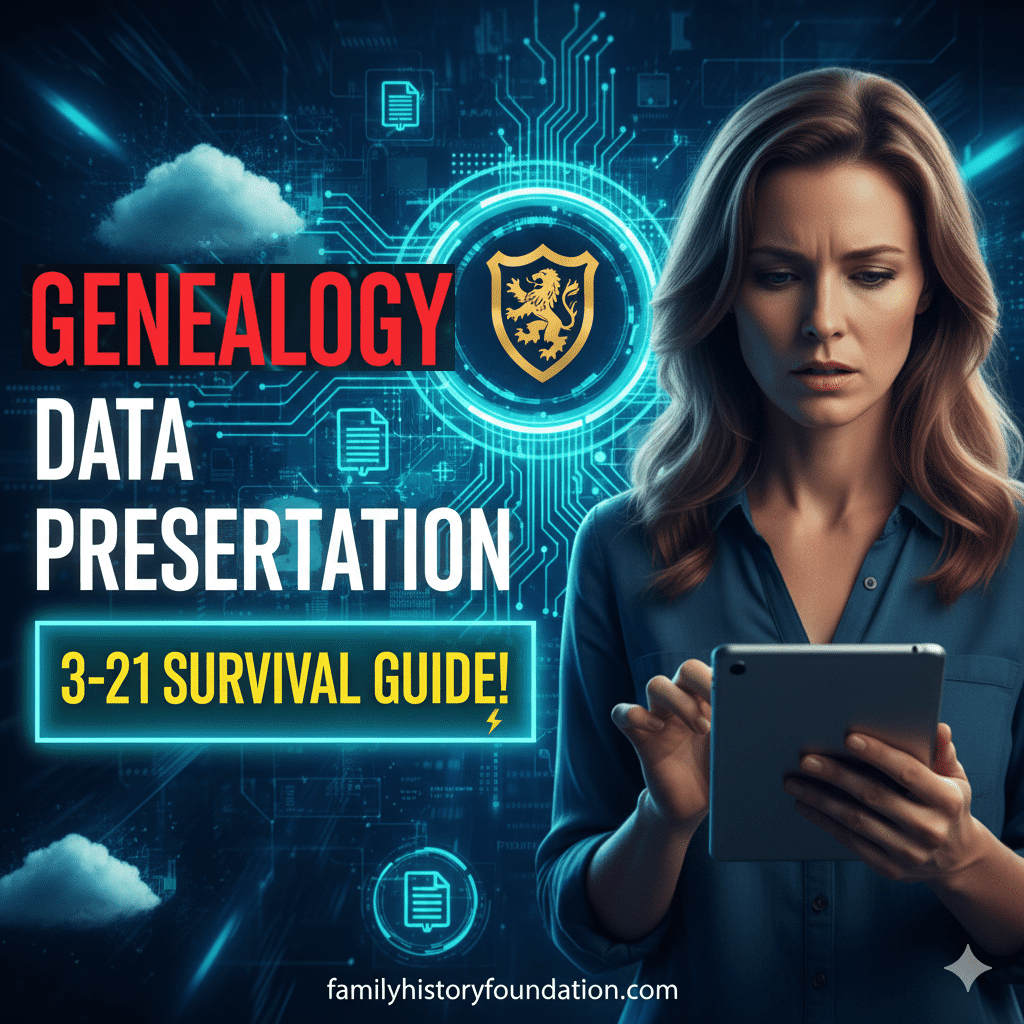
A comprehensive Genealogy Data Preservation Plan is the single most overlooked aspect of family history research, yet it is the only thing standing between your hard work and total erasure. We spend decades hunting down elusive ancestors, deciphering faded handwriting, and investing in subscriptions, but we rarely pause to ask: Is this safe? 🛑
Imagine the scenario: You walk into your office tomorrow, press the power button on your computer, and… nothing happens. The screen stays black. The hard drive whirs and clicks—the dreaded “click of death.” In an instant, twenty years of research, scanned photos, and carefully cited sources vanish. It is a nightmare scenario, but for those without a Genealogy Data Preservation Plan, it is a statistical inevitability.
Table of Contents
At the Family History Foundation, we believe that finding your ancestors is only half the battle; keeping them found is the other half. In this guide, we are going to move beyond basic organization and deep-dive into the digital and physical security of your legacy. We will implement the industry-standard “3-2-1” rule, ensuring that no fire, flood, or computer crash can wipe out your heritage. 🛡️
Why You Need a Genealogy Data Preservation Plan Now
You might be thinking, “I’m safe. I have everything on Ancestry.com.” While online platforms are incredible tools for discovery, they are not archives. They are businesses. Terms of service change, companies get bought out, and subscription models shift. If you stop paying, or if the site suffers a catastrophic data breach, your access to your own research could be severed.
Get the best deals ever on Ancestry DNA – Save on a DNA Kit or add a Membership! Head over to Ancestry.com to get your Family History Foundation deal (sponsored link).
A robust Genealogy Data Preservation Plan is about moving from a mindset of “renting” your history to “owning” it. It is about sovereignty over your data. Whether you are a casual hobbyist or a professional researcher, the data you collect is a priceless inheritance for future generations.
Furthermore, technology degrades. That CD-ROM you burned your family tree onto in 2005? It is likely suffering from “disc rot” right now. The external hard drive you bought five years ago? It has a lifespan, and the clock is ticking. Without a proactive Genealogy Data Preservation Plan, you are essentially gambling with your family’s memory. Let’s stop gambling and start securing. 🔒
The “3-2-1” Protocol: The Core of Your Strategy
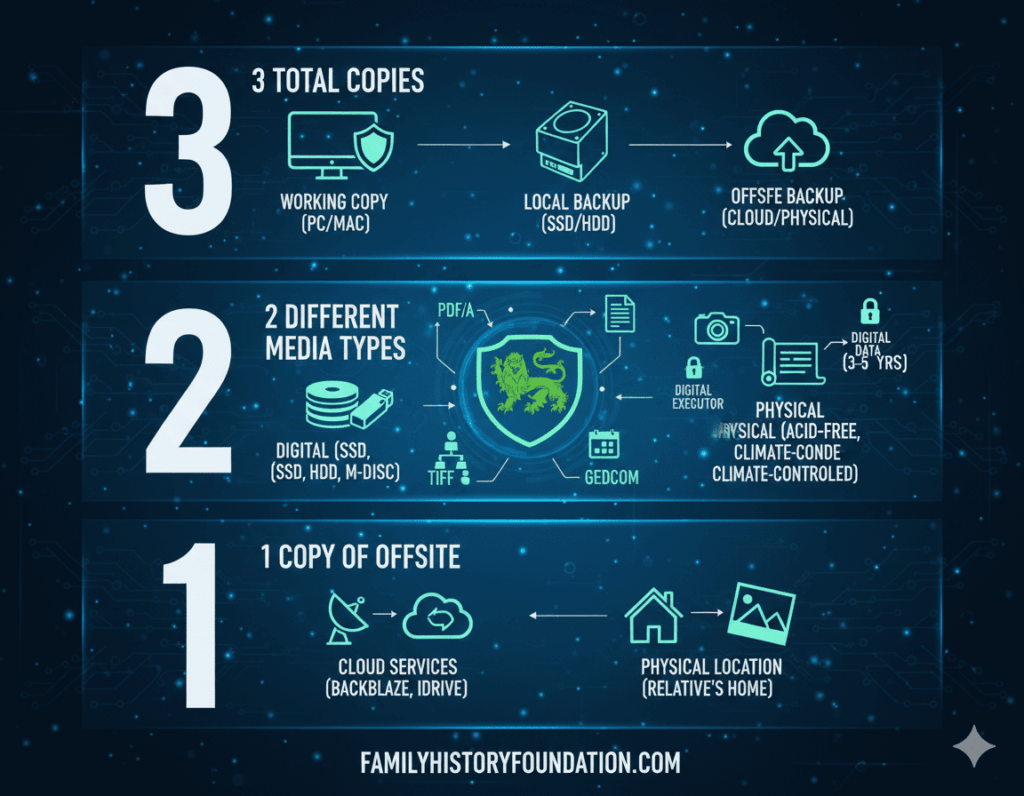
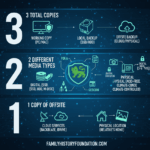
The gold standard for any Genealogy Data Preservation Plan is the 3-2-1 Backup Rule. This isn’t just a suggestion; it is the protocol used by IT professionals, photographers, and archivists worldwide. If you implement nothing else from this article, implement this.
1. Keep 3 Total Copies of Your Data 📂
You should never have just one copy of a file. If a file exists in one place, it doesn’t really exist. In your Genealogy Data Preservation Plan, you need the “Working Copy” (the one on your computer that you edit daily) and two additional duplicates. This redundancy ensures that if one copy is corrupted, you have two fail-safes.
2. Store on 2 Different Types of Media 💾
If you have three copies, but they are all on different hard drives in the same room, you are still vulnerable. A power surge could fry all of them at once. A robust Genealogy Data Preservation Plan requires media diversity. This usually looks like:
- Media A: Your computer’s internal drive (Solid State Drive).
- Media B: An external Hard Drive (HDD) or Network Attached Storage (NAS).
- Media C: Cloud storage or a physical optical disc (M-Disc).
By diversifying the media, you protect yourself against format-specific failures.
3. Keep 1 Copy Offsite ☁️
This is the “Disaster Recovery” phase of your Genealogy Data Preservation Plan. If your house suffers a fire, flood, or burglary, any drives physically located in your home are gone. You must have one copy that lives geographically distant from you. This could be a cloud backup service (like Backblaze or iDrive) or a physical drive stored at a relative’s house in a different state.
Implementing the Plan: Step-by-Step
Now that we understand the theory, let’s get practical. How do you actually build this Genealogy Data Preservation Plan without getting overwhelmed by technical jargon? We will break it down.
Step 1: Centralize Your Assets
Before you can back up, you need to know what you are backing up. Most genealogists have files scattered everywhere: downloads folder, desktop, email attachments, and random USB sticks.
- Create a master folder on your computer named “FAMILY_HISTORY_MASTER”.
- Move your genealogy software files (RootsMagic, Family Tree Maker, etc.), your scanned photos, and your digital documents into this folder.
- Tip: For advice on how to structure these folders, check out our guide on Organizing Family Documents and Photos Digitally.
Step 2: The Local Backup (The Fast Lane)
Your first line of defense in your Genealogy Data Preservation Plan is a high-quality External SSD (Solid State Drive). Unlike older spinning hard drives, SSDs are faster and less prone to mechanical failure because they have no moving parts.
- Action: Purchase a 1TB or 2TB SSD (Samsung T7 or SanDisk Extreme are popular).
- Routine: Set your computer to automatically back up your “FAMILY_HISTORY_MASTER” folder to this drive daily.
Step 3: The Cloud Backup (The Safety Net)
This is your “offsite” copy. Cloud storage is essential for a modern Genealogy Data Preservation Plan. Do not rely solely on “syncing” services like Dropbox or Google Drive. If you accidentally delete a file on your computer, Dropbox deletes it from the cloud, too.
- Action: Use a dedicated backup service that keeps historical versions of files. This ensures that if a file becomes corrupted and you don’t notice for a month, you can still restore the healthy version from six weeks ago.
Pro Tip: If you use Ancestry.com, you must regularly download your GEDCOM file. This is a raw data file of your tree. Do not leave it only on their servers. Include this GEDCOM export in your monthly Genealogy Data Preservation Plan routine.
🧩 INTERMISSION: The “How Safe Are You?” Quiz 🧩
Let’s take a quick pause to assess the current state of your Genealogy Data Preservation Plan. Give yourself 1 point for every “Yes.”
- Do you have a digital copy of your family tree stored offline (not on a website)?
- Have you backed up your computer in the last 7 days?
- Do you have a backup drive that is unplugged from your computer right now?
- Do you have a copy of your photos stored in a different physical location (cloud or relative’s house)?
- Have you tested restoring a file to see if your backup actually works?
Score Analysis:
- 0-1 Points: 🚨 Danger Zone. Your legacy is leaking. Please finish reading this article and take action today!
- 2-3 Points: ⚠️ Vulnerable. You have the basics, but a disaster could still wipe you out.
- 4-5 Points: 🛡️ Fortress. You have a solid Genealogy Data Preservation Plan. Good job!
The Source Hound’s Newsletter
Still Hitting Dead Ends In Your Research?
Join 500+ family historians getting the Source Hound’s weekly research breakthroughs — real case studies, source hacks, and the exact strategies that turn brick walls into discoveries.
Free. No fluff. Straight from the Source Hound’s desk to yours.
Your privacy is sacred — almost as sacred as a primary source. Read our Privacy Policy.
Beyond the Hard Drive: File Formats and Obsolescence
A truly long-term Genealogy Data Preservation Plan must consider “Digital Obsolescence.” Just because you have the file doesn’t mean you can open it. Remember WordPerfect or Lotus 1-2-3? Proprietary file formats die.
The Universal Formats
To future-proof your research, you should convert your most critical documents into open, non-proprietary formats.
- Text/Documents: Convert Word docs to PDF/A. The “A” stands for Archival. This format embeds the fonts and formatting so it will look the same in 50 years.
- Images: While JPEGs are convenient, they lose quality every time you save them (compression artifacts). For your master scans, use TIFF. It is a lossless format standard in the archival world.
- Genealogy Data: Always keep a fresh GEDCOM version of your tree. While GEDCOMs strip out some media links, they are the universal language of genealogy software.
Including file conversion in your Genealogy Data Preservation Plan ensures that your great-grandchildren won’t just see a list of unreadable files; they will see the history you curated for them. 📜
The Physical Archive: Don’t Forget the Paper
While we live in a digital world, the physical artifacts—the handwritten letters, the original tintypes, the marriage certificates—are the soul of your collection. A holistic Genealogy Data Preservation Plan covers the physical realm as well.
The Enemies of Paper
Your physical documents have four main enemies: Light, Heat, Humidity, and Acid.
- Acid: Most standard cardboard boxes and paper folders are acidic. Over time, they turn yellow and brittle (a process called lignification). You must use “Archival Quality” or “Acid-Free” boxes and folders.
- Environment: Never store your heirlooms in the attic (too hot) or the basement (too damp). The temperature fluctuations will destroy them. Store them in a climate-controlled closet on the main floor.
For a deeper dive into the research side of things, seeing how professionals handle data can be helpful. Review our thoughts on Genealogy Research Online to see how digital research habits feed into your physical archives.
The “Bus Factor”: Passing the Torch
Here is a morbid but necessary question for your Genealogy Data Preservation Plan: If you were hit by a bus tomorrow, would anyone know how to access your research?
We often see families throw away computers and hard drives because they simply didn’t know what was on them or didn’t have the password.
- The Digital Executor: Appoint someone you trust to take over your digital assets.
- ** The Password Vault:** Use a password manager (like 1Password or Bitwarden) and ensure your “Digital Executor” has the master key.
- The “Read Me” File: Place a text document on your desktop named “OPEN_ME_IN_CASE_OF_EMERGENCY.” Inside, explain where your genealogy files are, which cloud service you use, and what your intentions are for the collection.
This step ensures that your Genealogy Data Preservation Plan survives you. It bridges the gap between your lifetime of work and the future generations who will cherish it. For more on overcoming research hurdles that future generations might face, read about The Maiden Name Dead End.
Navigating Technology Changes
Technology moves fast. A comprehensive Genealogy Data Preservation Plan is not a “set it and forget it” system. It is a living habit. Every 3 to 5 years, you must migrate your data to new media. Hard drives have a mechanical lifespan. If you have data on a drive from 2015, you are living on borrowed time.
Artificial Intelligence and Preservation
As we discussed in our recent article on AI and Genealogy, technology is changing how we interpret data. AI can now read handwriting and tag photos. However, you cannot use these tools if your data is lost. Preserving the raw high-resolution scans is essential so that future AI tools can work their magic on your collection.
Additionally, when dealing with common names, precise data organization is key. A messy drive makes it impossible to solve complex puzzles like The Common Name Ancestor Problem. Your preservation plan keeps your data clean, tagged, and ready for analysis.
Visualizing Your Legacy
One of the best ways to stay motivated with your Genealogy Data Preservation Plan is to visualize the end result. Imagine a library shelf, digital or physical, where every file has a place, every photo is tagged, and every story is secure.
We have some excellent visual resources to help you with this. Check out our video guides on our YouTube Channel for tutorials on organizing digital folders. Furthermore, if you need inspiration for how to display your preserved history (like family tree charts or photo books), our Pinterest Boards are packed with creative ideas. 🎨
Remember, we are also looking for ways to Find Immigrant Ancestors Without Passenger Lists. Often, the clues to these difficult ancestors are hiding in the documents you already possess but haven’t properly archived or indexed. A good preservation plan surfaces these hidden clues.
Frequently Asked Questions (FAQ)
Q: Is a Genealogy Data Preservation Plan expensive?
A: It doesn’t have to be. A reliable 2TB hard drive costs around $100, and cloud backup services are usually under $10/month. Compared to the value of your time and research, it is a tiny insurance premium.
Q: Can’t I just print everything out?
A: Paper is great, but it is vulnerable to fire and flood. A digital Genealogy Data Preservation Plan allows you to replicate copies instantly and store them in multiple locations, which is impossible with paper alone.
Q: How often should I run my backups?
A: For your “Working Copy,” your computer should back up to your local external drive automatically every hour or every day (using Time Machine on Mac or File History on Windows). For your cloud backup, it should run continuously in the background.
Q: What about flash drives (USB sticks)?
A: Flash drives are for transferring data, not storing it. They are easily lost and prone to failure. Do not use them as the primary storage for your Genealogy Data Preservation Plan.
Q: I have thousands of loose photos. Where do I start?
A: Start with the most important ones. The “Type A” photos—ancestors you can name, weddings, and historical events. Scan those first and add them to your preservation protocol immediately.
Conclusion: The Gift of Peace of Mind
Creating a Genealogy Data Preservation Plan may not feel as exciting as discovering a new 4th great-grandfather in a dusty parish record. However, it is the most heroic act you can perform as a family historian. You are the guardian of the gate. You are the one ensuring that the stories of your ancestors survive the digital volatility of the 21st century.
By following the 3-2-1 rule, digitizing your physical assets, and preparing for your own digital legacy, you are building a fortress around your family history. You are giving yourself the gift of peace of mind. When you lay your head on the pillow tonight, you will know that no matter what happens—computer crash, server failure, or natural disaster—your family’s story is safe.
Don’t let your hard work become a “missing link” for the next generation. Take this weekend to build your fortress. Start your Genealogy Data Preservation Plan today!
What is the one item in your collection you would be most devastated to lose? Let me know in the comments below! 👇
About the Author
👋 Hello! I’m Franklin.
I am the writer, creator, and owner behind The Family History Foundation. While I often use the “Royal We” on the blog, the truth is that this is a one-man labor of love. I am a lifelong genealogist dedicated to helping you uncover the incredible stories hidden within your ancestry.
My passion lies in blending the scientific precision of research with the storytelling heart of family history. I believe that genealogy isn’t just about collecting names and dates; it’s about identity, connection, and understanding who we are. With over 20 years of experience in digital archiving, document analysis, and creative memory projects, I have learned that organizing and preserving family documents is both an art and a science.
Through The Family History Foundation, my mission is to empower you to explore, organize, and preserve your heritage with confidence. When I am not analyzing dusty records or teaching you how to build a Genealogy Data Preservation Plan, you will find me sharing new discoveries on YouTube and pinning creative history projects on Pinterest.
Come say hello—I’d love to hear about your journey to find your family history! 🌿
The Source Hound’s Newsletter
Still Hitting Dead Ends In Your Research?
Join 500+ family historians getting the Source Hound’s weekly research breakthroughs — real case studies, source hacks, and the exact strategies that turn brick walls into discoveries.
Free. No fluff. Straight from the Source Hound’s desk to yours.
Your privacy is sacred — almost as sacred as a primary source. Read our Privacy Policy.