The Ancestry vs FamilySearch debate is one of the most hotly contested conversations in the genealogy world — and for good reason. Both platforms are giants. Both hold millions of records. Both have helped researchers make life-changing discoveries about their family roots.
But they are not the same. Not even close.
Table of Contents
If you have ever typed an ancestor’s name into one platform, gotten underwhelming results, then jumped over to the other and found exactly what you were looking for — you already know that the difference between these two search engines is real, and it matters. 🎯
This Ancestry vs FamilySearch guide is a comprehensive, category-by-category showdown covering search field flexibility, database size, search return accuracy, user experience, cost, mobile performance, and the ability to build a family tree. Whether you are brand new to genealogy or a seasoned researcher who wants a sharper lens on both tools, this Ancestry vs FamilySearch breakdown is for you.
Let’s settle this — once and for all. 👇
Why the Ancestry vs FamilySearch Question Matters So Much
Most genealogists do not start with a strategy. They start with a name.
They type in “Margaret Sullivan, born 1842, Ireland” and wait. Sometimes something comes back. Sometimes nothing does. And when nothing comes back, the question becomes: is it this platform — or is it me?
Or, let’s take the opposite scenario. You type in the same information and you get 2 million results, all stuffed on half a screen with 50 thousand pages to scroll through. It’s like your an 1840s 49er panning for gold, expending extraordinary effort to uncover a single nugget of gold.
That is exactly where the Ancestry vs FamilySearch comparison becomes a practical skill, not just a product preference. I know, I’ve spent HOURS searching through both of these platforms and have uncovered a few brutal realities.
If you are just getting started on your research journey, my Ultimate Beginners Guide to Professional Genealogy Research Online lays the groundwork before you dive into either platform.
For everyone else — let’s get into the comparison. 🕵️♂️
Category 1: Ancestry vs FamilySearch — Search Fields and Flexibility
Ancestry.com Search Fields
Ancestry’s search interface has evolved significantly over the years. The main search bar accepts a name and life event combination, and from there you can layer in a powerful set of filters.
Available fields include: first and last name, birth year and location, death year and location, marriage year and location, relationship to another person (spouse, parent, child), race, and keyword. You can also restrict your results to a specific record collection — narrowing from 40+ billion records down to, say, “New York City death certificates 1795–1865.”
The wildcard feature is a researcher’s best friend here. 🃏 Enter a partial name using an asterisk () to cast a wider net. Searching “Sullvan” will pull up Sullivan, Sullavan, Sulliwan — capturing transcription errors that would otherwise bury your ancestor permanently.
Ancestry also offers an “Exact” toggle on most fields. This lets you decide, on a field-by-field basis, whether you want flexibility or precision. That granularity is genuinely useful once you understand how to use it.
FamilySearch Search Fields
FamilySearch’s search interface is clean, uncluttered, and beginner-friendly by design. The main search accepts a name, life event (birth, marriage, death, residence), relationship name, and collection filter.
The layout feels immediately less intimidating than Ancestry. Fields are clearly labeled, logically grouped, and the results page presents information in an organized, readable format without visual noise.
FamilySearch also supports wildcard searching and fuzzy matching — meaning it will suggest spelling variations automatically without you having to engineer them manually. This is a meaningful usability advantage for beginners who do not yet know to look for transcription errors. ✅
Edge: Ancestry for advanced field granularity and control. Edge: FamilySearch for approachability and automatic fuzzy matching.
Category 2: Ancestry vs FamilySearch — Database Size and Record Types
Ancestry’s Record Depth
This is Ancestry’s most decisive advantage in the Ancestry vs FamilySearch comparison. Ancestry.com houses over 40 billion records — a staggering figure that represents decades of digitization partnerships with archives, governments, churches, newspapers, and private institutions around the world.
Beyond raw volume, Ancestry has exclusive or semi-exclusive access to records that you simply cannot find elsewhere. Their US Federal Census collection (1790–1950) is the most comprehensive digitized version available. Their military records, city directories, passenger lists, and vital records collections are deep and consistently well-indexed.
Ancestry also holds one of the most extensive newspaper archives in genealogy — which surfaces ancestors in obituaries, social columns, legal notices, and local news in ways that pure vital records never could. 📰
FamilySearch’s Record Depth
FamilySearch is not a slouch. With over 13 billion records and growing, it is the largest free genealogy database in the world — and that “free” part is significant. The platform has access to records from over 100 countries, and its microfilm digitization program has been running for decades longer than most competing platforms.
FamilySearch excels in international records, particularly for Latin America, Europe, and Scandinavia. It also holds significant US collections — including many of the same census and vital records as Ancestry — but the indexing quality and interface presentation differ.
The critical distinction: FamilySearch makes an enormous portion of its record images available for free, while Ancestry gates most images behind a subscription wall.
Edge: Ancestry on overall volume and exclusive record partnerships. Edge: FamilySearch on international breadth and zero-cost access.
Category 3: Ancestry vs FamilySearch — Search Return Accuracy and Relevance
This is where the Ancestry vs FamilySearch comparison gets genuinely interesting — and where real-world testing tells a clearer story than spec sheets ever could. When you run the same ancestor through both search engines side by side, the Ancestry vs FamilySearch differences are immediately visible.
Testing the Search: A Real-World Example
Let’s use a concrete example. Meet Thomas Whitfield — a fictional but representative research target. Born approximately 1847 in Virginia, died sometime before 1910, probably in Tennessee. Common surname. Uncommon enough first name to be useful for testing. A realistic mid-difficulty ancestor.
On Ancestry: Searching Thomas Whitfield, born ~1847 in Virginia yields several hundred results across multiple record types. The results are ranked by a proprietary relevance algorithm. Most are legitimately useful — census records, death certificates, state enumeration records.
The noise problem is real, though. Ancestry’s algorithm is aggressive about surfacing anything that could be a match, which means your first page of results will include Thomas Whitefields, Thos. Whitfields, and the occasional Thomas Whittaker for good measure. 😅 You learn quickly to read the result summaries critically rather than clicking the first hit.
On FamilySearch: The same search on FamilySearch returns a noticeably cleaner first page. The platform’s fuzzy matching is still active — you’ll see Whitfield variants — but results are presented with more biographical context upfront. You can see at a glance whether this Thomas matches your target’s timeline and geography before clicking through.
FamilySearch also surfaces its shared “Family Tree” results alongside historical records, which can be a shortcut or a source of inherited errors — depending on how critically you engage with what you find. ⚠️
Edge: FamilySearch for cleaner result presentation and better at-a-glance filtering. Edge: Ancestry for raw result volume and record type diversity.
Category 4: Ancestry vs FamilySearch — UI/UX and Ease of Use
This is the category where the Ancestry vs FamilySearch comparison has the clearest winner — and it is FamilySearch. It is not a close call.
Ancestry’s Interface: Powerful but Dense
Ancestry has added a tremendous number of features over the years, and the interface reflects that growth. The homepage, search pages, tree view, DNA section, and record viewer all feel like they evolved organically over time rather than being designed as a unified experience.
For experienced researchers, this density is fine. The tools are there, the paths are familiar, and the redundancy (multiple routes to the same destination) is more helpful than confusing.
For beginners, though, it can feel like walking into a research library with no map. 🗺️ Where do I start? What does this filter do? Why are my results different from last time? These are common first-month Ancestry questions.
If you want to unlock everything Ancestry’s interface has to offer, my post on 15 Ancestry Tools Hidden in Plain Sight is a great companion read — it reveals a whole layer of features most researchers walk past every single day.
FamilySearch’s Interface: Designed for Humans
FamilySearch wins this category without much contest. The interface is clean, logically structured, and visually uncluttered. The search results page presents data in a way that new researchers can actually parse without prior training.
The record viewer is intuitive. The shared family tree — while a double-edged sword for data accuracy — is easy to navigate and contribute to. The platform loads quickly, labels clearly, and explains itself along the way.
For a beginner sitting down for the first time with their grandmother’s name and a prayer, FamilySearch is the more humane starting point. 🙏
Clear Edge: FamilySearch for UI/UX and overall ease of use.
Category 5: Ancestry vs FamilySearch — Cost, Free vs Subscription
The cost dimension of the Ancestry vs FamilySearch comparison is the most straightforward category in this entire guide — and it goes decisively one way.
FamilySearch is completely free. No subscription. No tiered access. No paywall on images. The Church of Jesus Christ of Latter-day Saints funds the platform as part of its theological mission of connecting families across generations. For researchers — regardless of religious affiliation — this is an extraordinary gift. 🎁
Ancestry operates on a subscription model. Their US Discovery plan runs approximately $24.99/month, and full international access sits higher. They do offer a free trial (14 days) (sponsored link), and you can view some index data without a subscription — but actual record images require paid access.
For researchers who are serious about genealogy, the Ancestry subscription is almost always worth it given the exclusive depth of their collections. But for someone just starting out — or someone on a tight budget — FamilySearch is an incredible resource that costs absolutely nothing to use.
Clear Edge: FamilySearch on cost. It is not close.
Category 6: Ancestry vs FamilySearch — Mobile Experience
Mobile genealogy research is more common than ever, and how each platform performs on a phone or tablet is a legitimate factor in any Ancestry vs FamilySearch evaluation.
Ancestry on Mobile
Ancestry’s mobile app is well-developed and has improved substantially in recent years. You can search records, add to your tree, review DNA matches, and receive hints — all from your phone. The app experience is smoother than navigating the full desktop site on a mobile browser.
The DNA section, in particular, is well-optimized for mobile viewing. If you find yourself checking matches on the go, the app handles this use case nicely.
That said, deep record research — comparing multiple documents, zooming into handwritten census images, cross-referencing sources — is still better done on a desktop. The app is excellent for light work and tree maintenance, less ideal for intensive research sessions. 📲
FamilySearch on Mobile
FamilySearch’s mobile app is clean and functional. For tree viewing, basic searching, and adding sources, it performs well. The interface translates to mobile with most of its clarity intact.
Where FamilySearch’s app struggles is in complex record browsing — particularly when working through large image collections or contributing to the shared family tree with multiple edits. These workflows feel constrained on a small screen.
Edge: Ancestry on mobile, narrowly, for a more fully-featured app experience. Edge: FamilySearch for a cleaner mobile UI on basic search tasks.
Category 7: Ancestry vs FamilySearch — Adding to a Family Tree
This is the category where the Ancestry vs FamilySearch comparison lands most decisively — and in different directions depending on what kind of researcher you are.
Ancestry’s Tree Building: The Gold Standard
Ancestry’s tree-building feature is the most fully developed in the industry. You can build a private or public tree, attach sources directly to individuals, upload documents and photos, invite family members to collaborate, and receive automated hints when records potentially match someone in your tree.
Those hints — the green leaf icon — are one of Ancestry’s most beloved (and sometimes maddening) features. When they are right, they surface records you might have missed entirely. When they are wrong, they invite you to graft someone else’s ancestor onto your branch. Always verify before you accept. ✅
The DNA integration is Ancestry’s crown jewel in the Ancestry vs FamilySearch comparison. ThruLines shows you how your DNA matches potentially connect to your tree. Shared matches and match clustering work hand-in-hand with the tree to build genetic genealogy hypotheses at a scale no other platform currently matches.
If you want to understand what the newest Ancestry tree tools can do right now, my post on New Ancestry Features in 2026 breaks down AncestryPreserve, Full Text Search, and their AI tools in full detail.
FamilySearch’s Shared Family Tree: Collaborative by Design
FamilySearch operates a single, shared global family tree. This is philosophically different from Ancestry’s model — rather than every researcher maintaining their own private tree, everyone contributes to and edits a common record.
The upside: extraordinary collaborative reach. If someone else has already researched your ancestral line, you benefit from their work immediately.
The downside: errors propagate. One user adding an incorrect birth year can ripple through thousands of connected trees before anyone catches it. Source attachment on FamilySearch has improved, but the unverified data problem is real.
For researchers dealing with duplicate records across both platforms, my guide on How to Merge Duplicate Ancestors on Ancestry and FamilySearch walks you through the cleanup process step by step.
Clear Edge: Ancestry for private tree building, DNA integration, and source management. Edge: FamilySearch for collaborative reach and cross-researcher discovery. In the Ancestry vs FamilySearch tree-building contest, your research style determines the winner.
Side-by-Side Scorecard: Ancestry vs FamilySearch at a Glance
| Category | Ancestry | FamilySearch | Winner |
|---|---|---|---|
| Search Fields & Flexibility | ⭐⭐⭐⭐⭐ | ⭐⭐⭐⭐ | Ancestry |
| Database Size & Record Types | ⭐⭐⭐⭐⭐ | ⭐⭐⭐⭐ | Ancestry |
| Search Return Accuracy | ⭐⭐⭐⭐ | ⭐⭐⭐⭐ | Tie |
| UI/UX & Ease of Use | ⭐⭐⭐ | ⭐⭐⭐⭐⭐ | FamilySearch ✅ |
| Cost | ⭐⭐ | ⭐⭐⭐⭐⭐ | FamilySearch ✅ |
| Mobile Experience | ⭐⭐⭐⭐ | ⭐⭐⭐ | Ancestry |
| Tree Building & DNA | ⭐⭐⭐⭐⭐ | ⭐⭐⭐ | Ancestry |
The Verdict: Which Search Engine Really Wins?
Here is the honest conclusion to the Ancestry vs FamilySearch debate: neither platform wins outright — because they are not truly competing for the same thing.
FamilySearch wins on user experience, accessibility, and cost. If you are a beginner, if you are on a budget, or if you are researching international records — especially Latin American, Scandinavian, or European collections — FamilySearch deserves to be your first stop. The interface is cleaner, the learning curve is gentler, and the price tag is zero.
Ancestry wins on record volume, DNA integration, and tree building. If you are serious about American genealogy research, building a fully documented family tree, and making sense of your DNA matches — Ancestry’s depth is genuinely unmatched. The subscription investment pays off quickly when you find a great-great-grandmother’s naturalization record or a WWI draft card you had never seen before.
The smartest strategy in the Ancestry vs FamilySearch question? Use both. 🧠
Start your research on FamilySearch to get your bearings and catch low-hanging fruit at no cost. Then bring your best hypotheses and documented leads to Ancestry to verify, expand, and DNA-confirm your findings. Each platform makes the other one more powerful when you use them as a research system rather than choosing sides.
One additional note worth making in this Ancestry vs FamilySearch comparison: if your research has any international dimension — British roots, for example — the geographic scope of each platform matters enormously. My post on Ancestry UK vs Ancestry US covers cross-border research strategy in detail.
And if you are working with DNA and finding gaps in your match list — which is one of the most frustrating experiences in the Ancestry vs FamilySearch research process — my post on Missing DNA Matches and the Filter Setting Hiding Your Biological Family might unlock something you have been missing entirely. 🧬

The Family History Foundation Newsletter
It’s Not About You, It’s About Documenting Before It Disappears
Join 500+ family historians getting Franklin’s Source Hound weekly research breakthroughs — real case studies, source hacks, and the exact strategies that turn brick walls into discoveries.
Free. No fluff. Straight from the Source Hound’s desk to yours.
Your privacy is sacred — almost as sacred as a primary source. Read our Privacy Policy.
SOURCE HOUND TIP: My Secret Search Strategy You’ll Love
A few quick strategies before we close out this Ancestry vs FamilySearch comparison:
I’ll give you a quick Source Hound, personal strategy of mind which will seem counter intuitive, yet has served me very well when I’ve been stuck. I feel almost embarrassed to say this, but I GOOGLE stuff and see which platform Google Search leads me to!
I’m not kidding. I remember several mornings where I’m hot on the trail of a research record, only to get stuck in the endless wheel of Ancestry! I then go over to FamilySearch, which will usually yield its records quicker for me. But in the absence of records and my hyper-focused desire to find the record I’m looking for . . . I jump on Google Search and voilá, a record appears WITHIN THE ANCESTRY DATABASE!
Here’s the deal. I went through Ancestry and did not find it. I went outside of the database and found it! Explain that.
More Tips: Getting the Most Out of the Ancestry vs FamilySearch Research System
Use FamilySearch first for every new research target. It is free, fast, and often surfaces a baseline of indexed records that helps you calibrate your Ancestry search with much better filters.
Always search with wildcards before assuming a record does not exist. On both sides of the Ancestry vs FamilySearch divide, misspellings and transcription errors are the number one reason researchers miss records that are right there waiting.
Attach sources before you build. Whether on Ancestry or FamilySearch, the discipline of attaching a source document before adding a fact to your tree is the single habit that separates credible family history from speculation.
Cross-reference between platforms. If Ancestry’s search returns nothing, try FamilySearch — and vice versa. The two databases index records differently, and a name that gets buried in one may surface cleanly in the other. 🔁
For DNA research, Ancestry wins — but FamilySearch supports it. Once you have identified a biological line through Ancestry DNA matches, use FamilySearch to build out the paper trail behind those matches using free record access.
Join the Family History Foundation Source Hound Community
Our family history is disappearing every day, join the Source Hound community and join our pledge to be the protector of your family history. The lives and voices of our ancestors are depending on it for our future generations.
Celebrate Family History Fridays with us across our social media and community platforms!
📬 Subscribe to the Newsletter — tips, active challenges, and deep-dive case studies. Never an overloaded inbox, always something you can use this weekend.
 Like & Subscribe on YouTube — every Friday, a video companion to the week’s article. Watch these techniques demonstrated rather than described.
 Pin Us on Pinterest — printable question sheets, research charts, and visual guides to save for your next session.
 Podcasting on Spotify! — podcasting now on Spotify, you can find all of the latest episodes on any of your favourite podcast platforms, starting with Spotify.
 Podcasting on Amazon! — If you are not on Spotify we are also on Amazon Podcasts so you can listen while you drive and work. Every episode is curated just for you to binge your favourite episodes.
 Podcasting on Audible! — Audible is an alternative offshoot of Amazon Podcasts to listen while search for your next favourite book. Ready for your next “audible?” Set, Go!
Let’s make Family History a household word. 🏠
The Family History Foundation Newsletter
Our Family History Is Disappearing Every Day!
Join the quest with 500+ family historians getting Franklin’s Source Hound weekly research breakthroughs — real case studies, source hacks, and the exact strategies that turn brick walls into discoveries.
Free. No fluff. Straight from the Source Hound’s desk to yours.
Your privacy is sacred — almost as sacred as a primary source. Read our Privacy Policy.
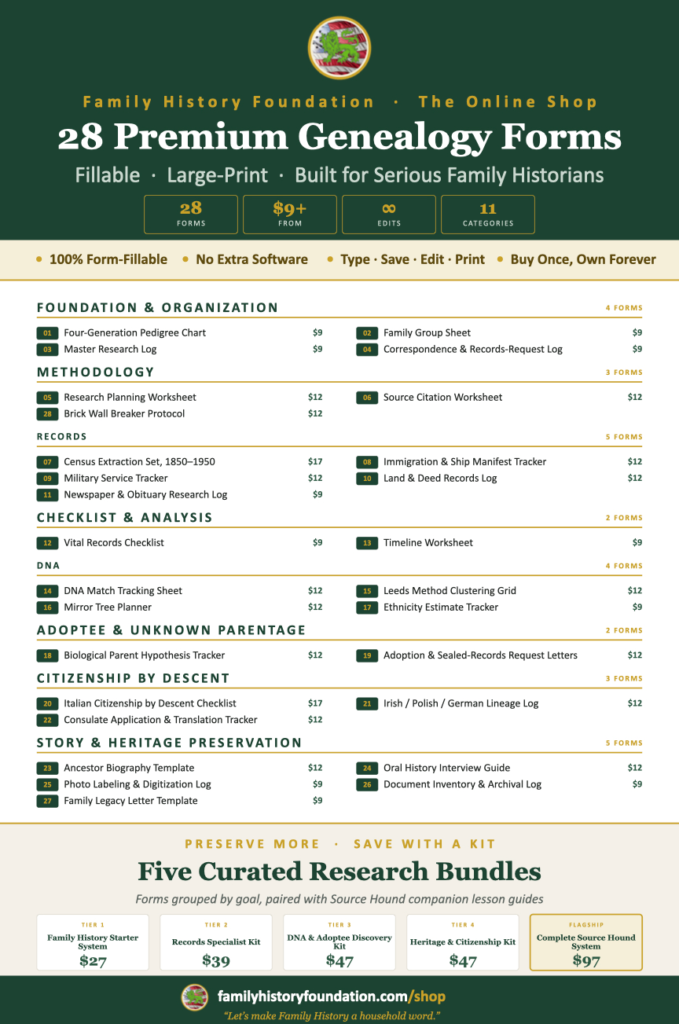
Shop Premium Genealogy Forms

About the Author
Hi there, my name is Franklin, the founder and author of The Family History Foundation.
Our family stories are disappearing every day and it’s crucially important that the next generation is able to learn and appreciate their family history. It is up to you to take up the mantle of responsibility to ensure that how you research today will be passed on tomorrow with the highest standards possible.
I believe that genealogy is not just about names and dates, it’s about your stories and how those stories inform your identity.
With a penchant for storytelling and a background in research, the insights and techniques you learn on The Family History Foundation will help you uncover the incredible stories and identities hidden within the tapestry of your ancestry.
My mission is “Let’s make Family History a household word.”
My motto is “The Past ‘Relative’ to the Future.”
Frequently Asked Questions: Ancestry vs FamilySearch
Is FamilySearch really free, or are there hidden costs?
FamilySearch is genuinely and completely free. There are no subscription tiers, no premium access levels, and no image paywalls. The platform is funded by The Church of Jesus Christ of Latter-day Saints and provided as a free resource to all researchers worldwide. 🎁
Which platform has more records — Ancestry or FamilySearch?
Ancestry holds over 40 billion records, making it the largest subscription genealogy database in the world. FamilySearch has over 13 billion records, making it the largest free genealogy database. For raw volume, Ancestry leads. For international breadth at zero cost, FamilySearch is the stronger option.
Can I use both Ancestry and FamilySearch at the same time?
Absolutely — and experienced genealogists usually do. The Ancestry vs FamilySearch combination is greater than the sum of its parts. A research workflow that begins on FamilySearch and expands to Ancestry gives you the best of both: free access for foundational records and paid depth for advanced research. 🔁
Is Ancestry worth paying for if FamilySearch is free?
For most serious genealogists, yes — particularly if your research focuses on American ancestors from 1790 to 1950. Ancestry’s exclusive record collections, DNA integration, and tree-building tools provide a level of research depth that FamilySearch’s free platform cannot replicate. The subscription pays for itself the moment you find the record that changes everything. 💡
Does Ancestry have a free version?
Ancestry offers a free 14-day trial (sponsored link), and some basic index data is visible without a subscription. However, actual record images — the documents themselves — require an active paid subscription. FamilySearch, by contrast, provides full record image access for free.
Does Ancestry have a free version?
Ancestry offers a free 14-day trial, and some basic index data is visible without a subscription. However, actual record images — the documents themselves — require an active paid subscription. FamilySearch, by contrast, provides full record image access for free.
How is the FamilySearch shared family tree different from Ancestry’s tree?
Ancestry allows each researcher to maintain their own private family tree, with the option to make it public or searchable. FamilySearch operates a single, collaborative global family tree that all users contribute to and can edit. The FamilySearch model offers extraordinary collaborative reach but requires more critical evaluation of data accuracy, since errors made by one user can affect what other researchers see. ⚠️
Can DNA research be done on FamilySearch?
FamilySearch does not currently offer DNA testing or a DNA match database. DNA research — testing, match management, ThruLines, and clustering — is Ancestry’s territory. FamilySearch supports DNA research indirectly by providing free access to the paper-trail records you need to build the family tree behind your DNA matches.