There are 15 Ancestry tools hiding right under your nose on Ancestry.com and you may not even be aware of them. You might have glossed over them multiple times, you may have actually seen them not even realizing their true potential. But today, you will!
Welcome to The Family History Foundation, I’m going to walk you through the secret rooms, through secret doors on you ancestor’s profile page and offer you new ways to enhance your genealogy. Who doesn’t want more tools? 🧰
Table of Contents
These 15 Ancestry tools sitting plainly on the upper-right of the ancestor profile toolbar are one of the most underused features on the entire platform. 🔍 Most researchers scroll past them every single day without a second glance.
We get desensitized to the myriad of tools on Ancestry.com, mainly because there are multiple paths to the same destination on there. Redundancy is a good thing, but it often causes us to gloss over the obvious.
Once you know exactly how to use the 15 Ancestry tools in that drop-down menu, your whole research process changes. You become more organized, more strategic, and — most importantly — more accurate.
I have been researching family history for many, many years as both an adoptee and a source hound, and I can tell you that these 15 Ancestry tools we are covering today are the difference between a surface-level tree and a potentially grade-one research exemplar. Let me walk you through every single one. 🌳
Before we dive in — if you are just getting started on Ancestry, my Ultimate Beginners Guide to Professional Genealogy Research Online will give you a strong “foundation” to build from . . . a Family History Foundation. 😁
Now let’s get into it. 👇
Where to Find the 15 Ancestry Tools
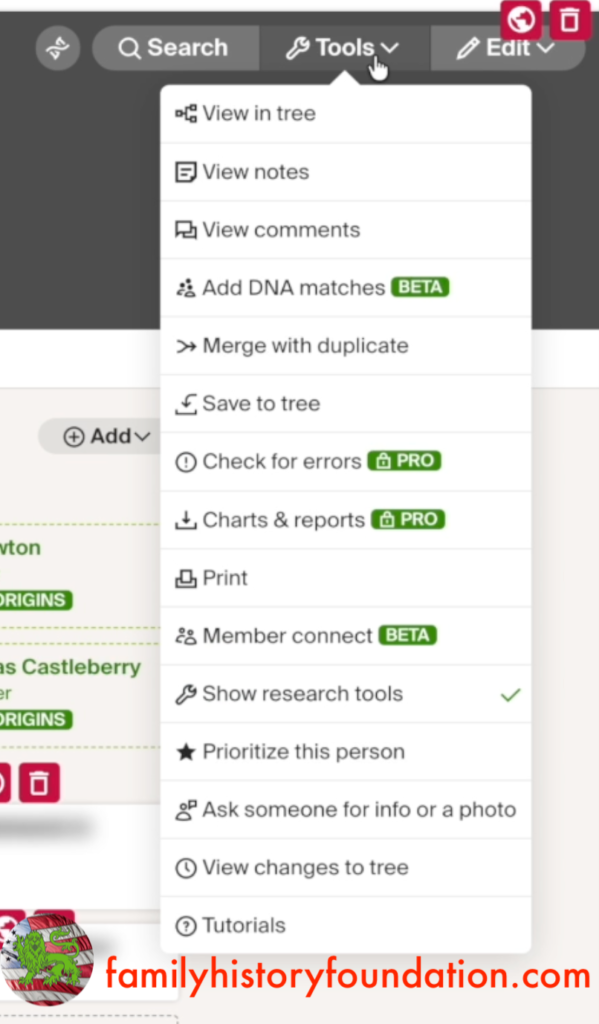
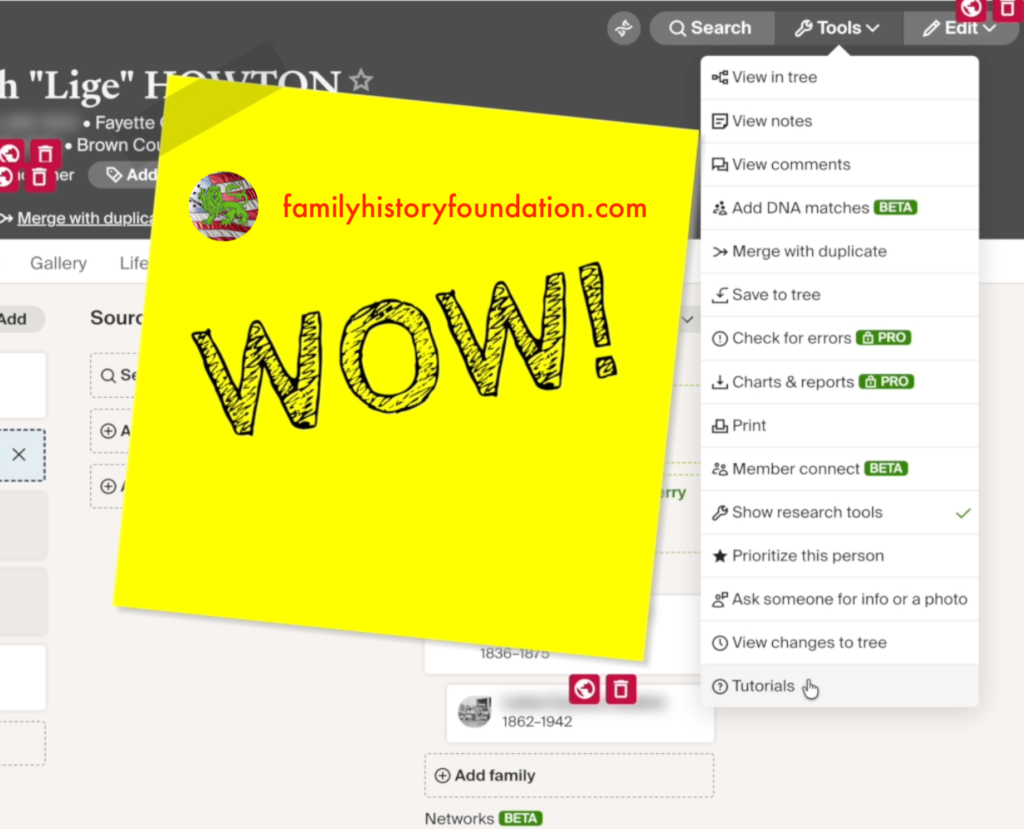
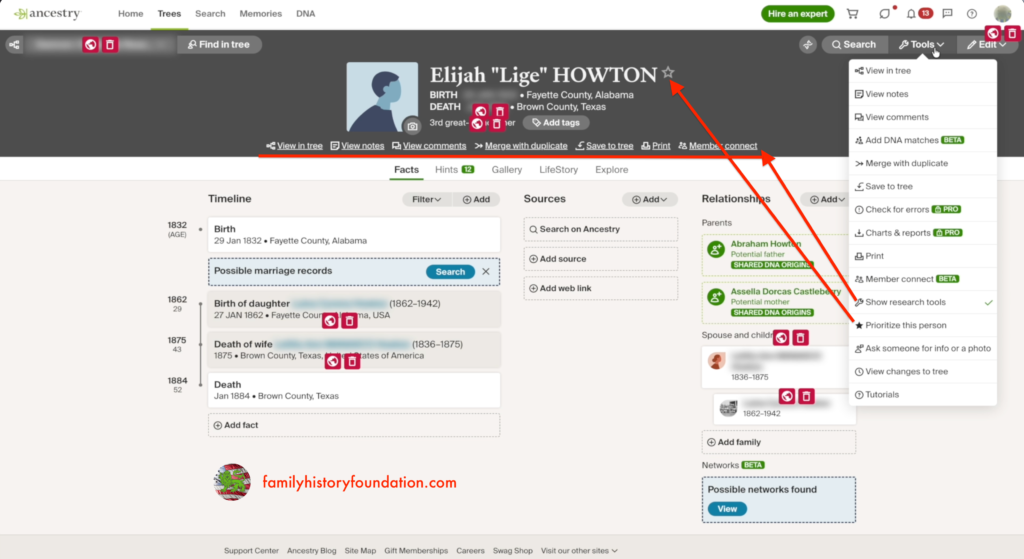
Finding the 15 Ancestry tools is simpler than you might think. Open any ancestor’s profile page inside your family tree and look for the toolbar at the very top right of the screen.
You will see your ancestor’s name, key dates, and a small row of icons — including a button simply labeled Tools. Click that button and a full drop-down menu rolls out like a red carpet. 🎉
Most people have seen it. I wonder how many people have actually explored everything inside it? This is your guided tour of all 15. Let’s go!
All 15 Ancestry Tools, Fully Explained
Working through the 15 Ancestry tools from top to bottom of the menu gives you the clearest picture of what is available. Some of these will be familiar. Others are going to surprise you. 👀
1. View in Tree 🌿
This pulls your ancestor directly into the interactive tree view so you can see exactly where they sit across the generations.
It is a quick orientation tool — especially useful when you have drilled deep into a branch and need to snap back to the bigger picture fast. Overall, this tool is more functional than research-specific.
The tools get better as we drill down, or walk down the red carpet, so make sure you read until the end.
🔎 Find in Tree
Find in Tree in the upper-left is basically a duplicate of the “View in Tree tool” as it launches the tree view and enables you to see this person in that context. It is especially helpful if you manage multiple trees — a research tree, a DNA tree, a main tree — and need to locate where someone appears.
2. View Notes 📝
If I had to pick one feature from all 15 Ancestry tools that researchers possibly underuse the most — it is this one. View Notes opens a private journal field attached directly to your ancestor’s profile.
Write anything here: unsolved problems, source discrepancies, theories in progress, documents still needed. It is a research journal entry that travels with the person themselves.
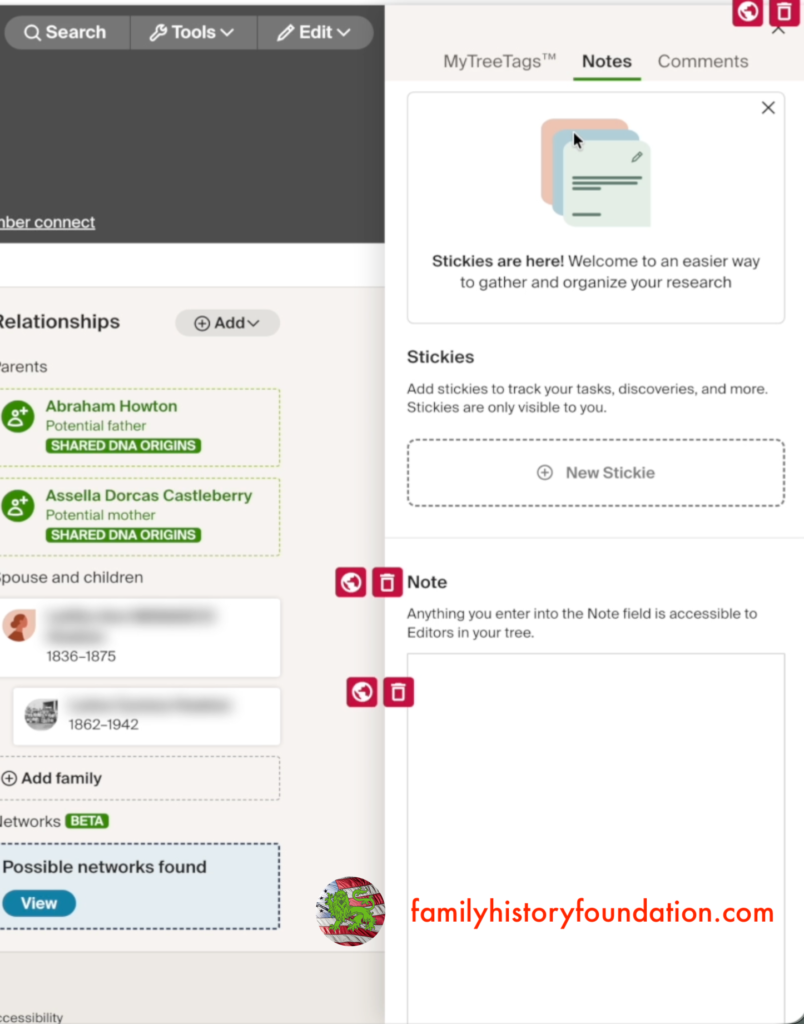
I use notes constantly in my deeper research trees. They are the difference between returning to an ancestor six months later knowing exactly where you left off — versus starting from scratch. 📌
Stickies — Private Task Tracking ✅
Stickies work more like digital Post-its than a full journal. They are fast, visual, and designed for quick task reminders and research to-dos.
Important! Within this tool are 2 other tools, well 3 if you count the stickies! I am reviewing the MyTreeTags and all of its facets in sections 4-8 below! They are too juicy to smush into a single section!
The critical distinction: stickies are visible only to you, even if your tree is public or shared. You can drop a sticky on a profile that says “verify this marriage date — source is suspect” without any family member seeing it. That kind of private layer is incredibly useful for active researchers. 🔒
3. View Comments and Mentions 💬
Unlike stickies, Comments are public-facing. You can leave a note on an ancestor’s profile that other members with tree access can read.
Better still, you can use the @mention feature to tag a specific family member or research collaborator directly inside the comment. Think of it as a built-in conversation thread living right inside the family tree. 👨👩👧👦
4. Tree Tags (MyTreeTags) – DNA Labels 🧬
This is where the 15 Ancestry tools start getting genuinely exciting for DNA researchers. Tree Tags let you apply visual labels directly to any ancestor’s profile header.
Inside the DNA category, you can tag an ancestor as DNA Connection, DNA Ancestor, or DNA Match Confirmed. Those labels show up right on the profile at a glance — giving you an instant visual DNA research map across your entire tree.
If you are managing hundreds of DNA matches and tracking which branches have been genetically confirmed, this feature is a game changer. 🗺️ The ability to create labels that go on your ancestor’s profile is invaluable when you are tracking a tree which is over 5,000 people like mine who I help run with my family.
My advice: get in the habit of using them!
5. Life Experience Tags 🎖️
Life Experience Tags let you add rich contextual labels to an ancestor — Military Service, Royalty or Nobility, Indentured Servant, and more.
These tags appear directly under the ancestor’s name in the profile header, so the context is always visible at a glance. In my own tree I applied Military Service to an ancestor who fought in the Civil War — and yes, I added Royalty just to see what happened. 👑 Turns out it looks very official – watch the YouTube video to see it live, it’s a hoot!
6. Relationship Tags 👪
Among the 15 Ancestry tools, Relationship Tags address something that comes up constantly in genealogy — especially in adoptee research. You can mark an ancestor as Adopted In, Adopted Out, Direct Ancestor, or flag Multiple Spouses.
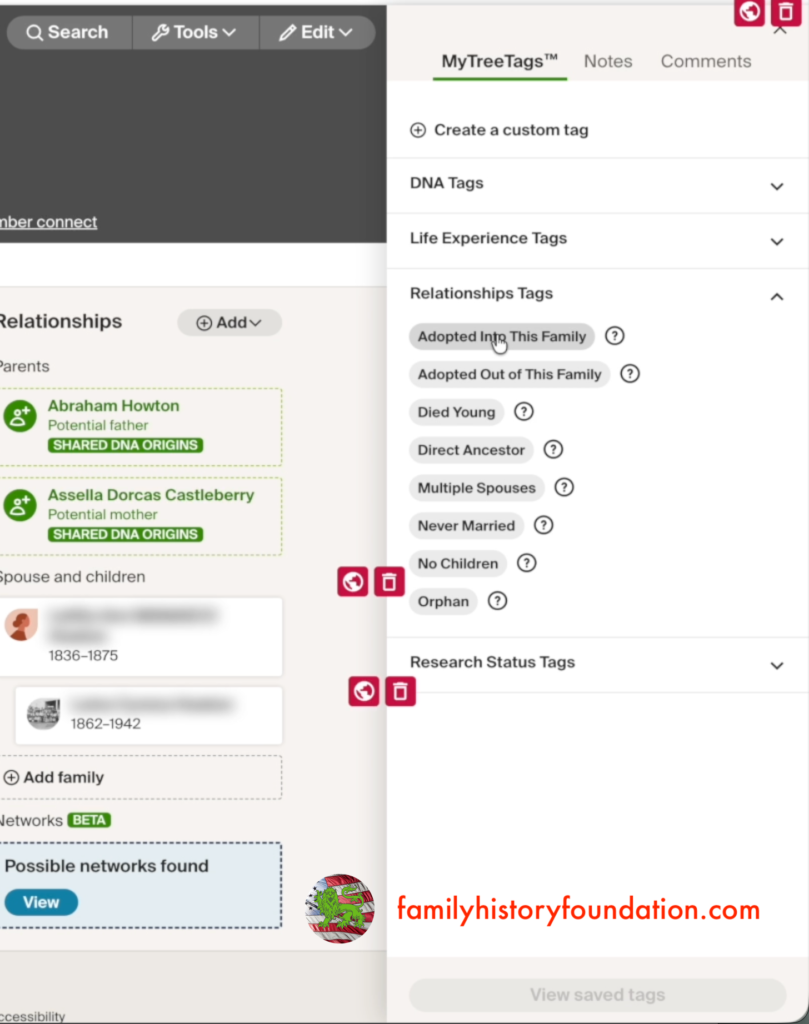
These tags communicate family structure nuance directly inside the tree, rather than burying it in notes. For adoptees building their biological family tree, this kind of clarity is invaluable.
If adoptee research resonates with your journey, my article on How to Find Family on Ancestry is a great companion read here. 🌐
7. Research Status Tags — The Verification System 🔬
Of all the 15 Ancestry tools, this one matters most to me personally — because it addresses the biggest problem in amateur genealogy: the unverified tree.
Research Tags let you mark any ancestor with a status: Brick Wall, To-Do, Prioritized, Hypothesis, Unverified, or Verified.
Here is the question I want you to sit with — if you audited your tree right now, what percentage could you honestly label Verified? If it is less than fifty percent (and I’m being gracious there!), we have work to do. And that is exactly why this channel exists. 💪
The Hypothesis and Unverified tags support a research strategy I use often. I will add an ancestor provisionally to test whether that connection generates DNA matches — essentially going fishing for genetic confirmation. Once a match confirms the hypothesis, I build the paper trail and graduate that person to Verified. 🎣
The Brick Wall tag is equally powerful. Mark your confirmed dead ends so you stop retreading the same ground. My article on the Common Name Ancestor Problem goes deep on one of the trickiest brick wall scenarios in genealogy research. 🧱
8. Custom Tags — Create Your Own! 🏷️
This one genuinely surprised me the first time I found it — and it is buried inside the Tree Tags section. Among the 15 Ancestry tools, the ability to create fully custom tags is one of the most powerful. Actually, right now, it is my favorite!
You can name your tag anything: “My Fave Ancestor,” “Needs DNA Confirmation,” “Photo Needed,” “Civil War Priority” — whatever fits your workflow. This one feature alone is worth revisiting the Tools menu if you have never explored it. 🌟
I label my research ancestor “My Fave Ancestor” live in my YouTube video linked below! Live the live love while watching.
9. Add DNA Matches (Beta) 🧪
This feature is still in beta and the pathway is a bit less intuitive than the rest of the 15 Ancestry tools. Clicking it currently routes you back into your tree rather than directly to a structured connection workflow.
My recommendation: explore it on your own but do not invest too much time here yet. Ancestry has been rolling out meaningful updates consistently, and this one has real potential once it matures. 🔭
10. Ancestry Pro Tools — Worth the Add-On? 💰
This is where our 15 Ancestry tools tour brushes up against a paywall conversation. Pro Tools is an add-on subscription — roughly ten dollars a month on top of your existing Ancestry.com membership, even at the top tier like I have!
What do you get? Match Clustering groups your DNA matches around shared ancestors to surface hidden connections. The Tree Checker scans your entire tree for potential errors and inconsistencies. Enhanced Shared Matches gives you more granular DNA relationship comparisons.
The Tree Checker intrigues me most — but I want to be direct: no automated tool should replace your own critical eye. Who watches the watchers? My suggestion is a one-month trial to test whether it finds errors you already knew about versus ones that genuinely surprise you. That audit tells you a lot. 🌲
11. Charts, Reports, and Print 🖨️
Ancestry handles printing and export beautifully, and this option gives you direct access to generate formatted charts and reports for any ancestor.
I regularly download census records and city directories directly to my hard drive so I can zoom in, mark them up, and reference them outside the platform.
Building an offline archive of your key records is not just good research hygiene — it is a safeguard. My article on Organizing Family History Documents is the perfect companion here. 📂
12. Member Connect — Use With Caution 🤝
Member Connect shows you other Ancestry members who are also researching the same ancestor. Among the 15 Ancestry tools, this one has the highest reward ceiling and the highest risk floor.
The reward: you might find a distant cousin who has been researching the same branch for decades, leading to a major breakthrough. The risk: never take what you find in another member’s tree at face value. Their data is a secondary source at best.
Use Member Connect to generate leads and identify contacts — not to copy data wholesale into your own tree. My article on AncestryDNA ThruLines Reality Check applies equally well to how you should approach Member Connect data. 🚩
📜 STORY TIME! Over the years of reaching out to people to see if they can furnish information or are willing to collaborate on tree building, knowing full well we are “blood kin,” the reaction, unsurprisingly, has been either good, ambivalent, or downright ornery!
The one that effected me the most was a time I reached out to someone who was a descendant of my 3rd great-grandfather and politely asked this person if he had any information on a particular son born about 1830. This person replied to my email basically excoriating me for not providing a tree and furnishing proof I was related by blood to the ancestor to which I was inquiring.
That set me back in my chair! I regrouped, calmed myself and actually took this person’s point to heart! This was in the beginning of my formal research just after uncovering my biological heritage as an adoptee. I politely replied and included the information they were requesting, and sufficed to say that they had changed their demeanor towards me!
This was a terrific lesson in family history. If this has been your experience, just know that this is a people and community endeavor much more than the information at hand.
13. Show Research Tools 💡
Inside the same menu, there is a Show Tools toggle that collapses or expands the toolbar itself. If your toolbar ever seems to have disappeared, this is the switch you need.
Make sure it is turned on. Researching without the full 15 Ancestry tools visible is like driving with your headlights off. Do not do it.
In fact, many of the features within the toolbar menu are those that exist in the tools menu – no surprise there! Like I always say, there are many roads to the same destination on Ancestry. I, for one, am thankful for that. 👏
14. Prioritize This Person
The prioritize this person tool is the same that has been on your ancestor’s page for a while now. It serves the same function as the star on the right-hand side of your ancestor’s name. Again, with Ancestry, there are always multiple paths to the same destination.
It is a tool, so technically should live in the tool dropdown list. When to use this feature is really up to you, it kind of depends on the significance that you give it – the other customizable tags serve a more specific and utilitarian function to me.
15. Ask Someone for a Photo 📸
The final entry in the 15 Ancestry tools list is one of the most human-centered features on the entire platform. It lets you send a direct request to another Ancestry member for a photograph of a shared ancestor.
If you’re like me, you LOVE old photos. Getting and sharing them is one of the greatest gifts of family history you can be a part of!
You can send a message, copy a shareable request link, or reach out via Ancestry’s internal messaging — all from right inside the profile toolbar. For anyone building a rich, image-complete tree, this is a genuinely thoughtful tool. 🖼️
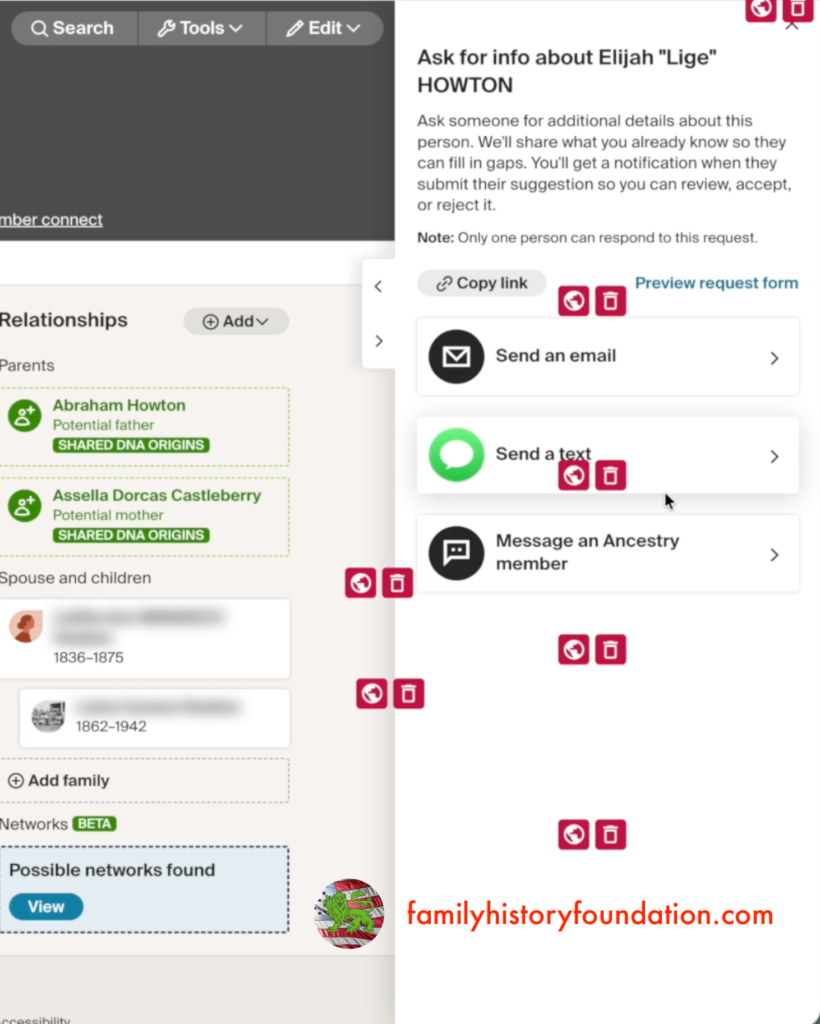
Need suggestions on how to ask questions? I’ve got you covered in these 2 comprehensive guides to interviewing family members. This might just supplement how you reach out to others using the 15 Ancestry tools.
Keep Building Your Research Foundation
Knowing the 15 Ancestry tools is only part of the equation. Using them as a system — notes, tags, verification status, organized downloads — is what separates a casual tree from a research-grade one.
These resources will help you go even deeper:
- 🔗 What to Do After Getting AncestryDNA Results — put your DNA data to work alongside the profile tools.
- 🔗 Why Ancestry.com Is the Number 1 Genealogy Website — a full breakdown of why Ancestry’s toolset is unmatched for most researchers.
You can watch this video on YouTube. It’s a fun walkthrough where I take you step by step through my own Ancestry tools live with my 3rd great grandfather!
Join the Family History Foundation Source Hound Community
Our family history is disappearing every day, join the Source Hound community and join our pledge to be the protector of your family history. The lives and voices of our ancestors are depending on it for our future generations.
Celebrate Family History Fridays with us across our social media and community platforms!
📬 Subscribe to the Newsletter — tips, active challenges, and deep-dive case studies. Never an overloaded inbox, always something you can use this weekend.
 Like & Subscribe on YouTube — every Friday, a video companion to the week’s article. Watch these techniques demonstrated rather than described.
 Pin Us on Pinterest — printable question sheets, research charts, and visual guides to save for your next session.
 Podcasting on Spotify! — podcasting now on Spotify, you can find all of the latest episodes on any of your favourite podcast platforms, starting with Spotify.
 Podcasting on Amazon! — If you are not on Spotify we are also on Amazon Podcasts so you can listen while you drive and work. Every episode is curated just for you to binge your favourite episodes.
 Podcasting on Audible! — Audible is an alternative offshoot of Amazon Podcasts to listen while search for your next favourite book. Ready for your next “audible?” Set, Go!
Let’s make Family History a household word. 🏠

The Family History Foundation Newsletter
Our Family History Is Disappearing Every Day!
Join the quest with 500+ family historians getting Franklin’s Source Hound weekly research breakthroughs — real case studies, source hacks, and the exact strategies that turn brick walls into discoveries.
Free. No fluff. Straight from the Source Hound’s desk to yours.
Your privacy is sacred — almost as sacred as a primary source. Read our Privacy Policy.
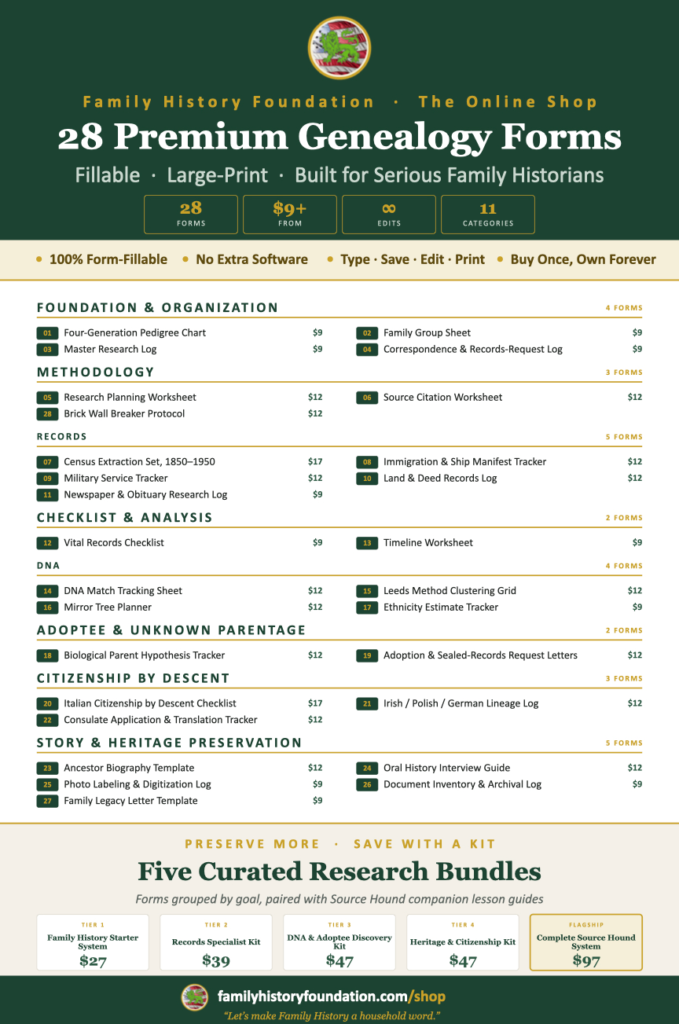
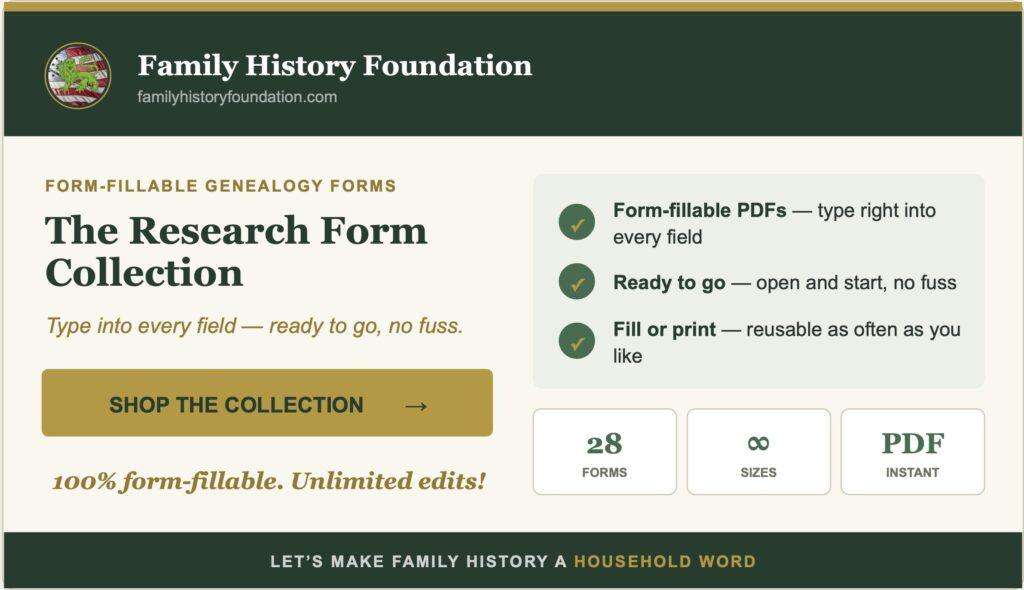
Shop Premium Genealogy Forms
About the Author
Hi there, my name is Franklin, the founder and author of The Family History Foundation.
Our family stories are disappearing every day and it’s crucially important that the next generation is able to learn and appreciate their family history. It is up to you to take up the mantle of responsibility to ensure that how you research today will be passed on tomorrow with the highest standards possible.
I believe that genealogy is not just about names and dates, it’s about your stories and how those stories inform your identity.
With a penchant for storytelling and a background in research, the insights and techniques you learn on The Family History Foundation will help you uncover the incredible stories and identities hidden within the tapestry of your ancestry.
My mission is “Let’s make Family History a household word.”
My motto is “The Past ‘Relative’ to the Future.”
Frequently Asked Questions About the 15 Ancestry Tools
Where exactly do I find the 15 Ancestry tools on the platform?
The 15 Ancestry tools live inside the horizontal toolbar at the top of any ancestor’s profile page. Look for the button labeled “Tools” and click it to open the full drop-down menu. If the toolbar is not visible, toggle it on using the Show Tools option inside the same menu.
Are all 15 Ancestry tools included in a standard subscription?
Most of the 15 Ancestry tools are included with any active Ancestry membership. The exception is Ancestry Pro Tools — Match Clustering, Tree Checker, and Enhanced Shared Matches — which require an additional paid add-on of approximately $10 per month.
What is the difference between Stickies and Notes in the 15 Ancestry tools?
Notes are longer-form research journal entries for detailed observations, source tracking, and working theories. Stickies are shorter digital Post-its designed for quick reminders and task tracking. Both are private and visible only to you, regardless of whether your tree is public or shared.
Can I create custom tags using the 15 Ancestry tools?
Yes! Inside the Tree Tags section of the 15 Ancestry tools, there is a built-in option to add a fully custom tag. You can name it anything you like and add a description. This lets you build a personalized tagging system that reflects your exact research workflow.
How do I use the Research Tags in the 15 Ancestry tools as a verification system?
Apply the Verified tag only when primary source documents confirm your data. Use Unverified or Hypothesis for provisional additions — for example, ancestors added to a working tree to test a DNA match theory. This disciplined approach results in a far more trustworthy and credible family tree over time.